virgin ai
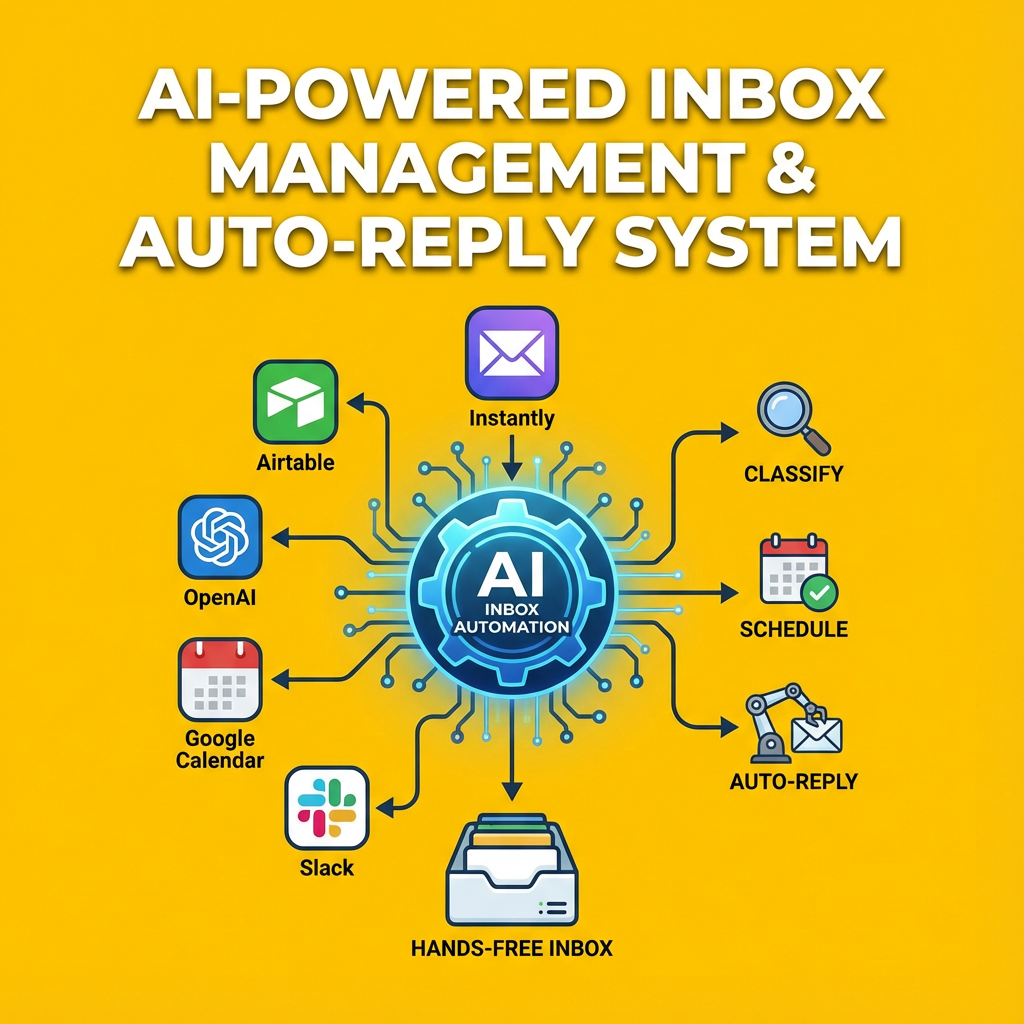
AI-Powered Inbox Management & Auto-Reply System for Cold Email Agencies – Full n8n Workflow
AI-Powered Inbox Management & Auto-Reply System for Cold Email Agencies – Full n8n Workflow
Couldn't load pickup availability
(Instantly + Airtable + OpenAI + Google Calendar + Slack)
This is the most advanced AI Inbox Management Automation for cold email agencies, appointment setters, and B2B lead generation teams.
The workflow turns every incoming reply from Instantly into classified, enriched, analyzed, and automatically handled actions — all without you touching the inbox.
Every function described below is taken directly from the JSON nodes inside your workflow.
WHAT THIS AUTOMATION DOES (FULL BREAKDOWN)
1. Fetches Incoming Emails From Instantly (Unread, Latest in Thread)
The workflow starts by pulling unread replies using:
Fetch Email → Instantly Unibox API
It retrieves:
-
Lead email
-
Sender
-
Email body
-
HTML content
-
Threaded messages
2. Identifies Lead in Airtable Automatically
Using Get Lead Info, the system matches the Instantly reply to your Airtable lead record.
Instantly → Airtable match happens via email address.
3. Converts HTML Emails to Clean Text for AI Processing
A custom HTML-stripping node: Filter HTML
The node:
-
Removes tags
-
Removes scripts/styles
-
Decodes entities
-
Cleans spacing
-
Produces plain text for accurate AI classification
4. Splits the Entire Thread & Orders Emails (Newest → Oldest)
Node: Split Out Mails + Order
AI extracts:
-
Sender
-
Message body
-
Dates
-
Entire thread in structured JSON
-
Sorted from newest to oldest
This enables precise interpretation of context.
5. Classifies Every Email Into 3 Core Outcomes
Node: Classify Email Response
It uses GPT-4o with rules baked into the prompt:
The system labels replies as:
✔ Ready to Schedule
✔ More Info Needed
✔ Not Interested
This classification drives the entire automation branch.
PATH 1 — READY TO SCHEDULE
6. Checks Your Google Calendar Availability Automatically
Node: Check Availability
Workflow performs:
-
Time zone conversion
-
Comparing suggested times with your Google Calendar
-
Checking your working hours (11:00–23:00 GMT+1)
-
Returns:
-
"yes, [datetime]"
-
OR "no, but available at…"
-
Google Calendar is checked via:
Availibility node.
7a. If Time IS Available → Auto-Write Confirmation Email
Node: Dates Available
AI generates a confirmed meeting email in clean HTML.
Airtable automatically updates:
Lead Status → Interested - RtS
Slack sends notification to your channel with:
-
Lead name
-
Received email
-
Your response
7b. If Time NOT Available → Auto-Send Scheduling Link
Node: Dates Not Available
AI writes a polite HTML email:
“None of these times work — here’s my cal.com link.”
Slack notification sent instantly.
PATH 2 — MORE INFO NEEDED
8. Detects Questions Asked by Prospect
Node: Check If Question Is on the List
AI extracts:
-
The exact question from the last email
-
Searches in Pinecone vector DB for matching canned responses
-
If unavailable → labels "unavailable"
Vector DB:
-
Pinecone Vector Store
-
Embeddings OpenAI
9. If Answer Found → Auto-Write HTML Response
Node: Write MiN Response Question
The email is:
-
Fully formatted in HTML
-
Clean
-
Spaced sentence-by-sentence
Airtable Status Update:
Lead Status → Interested - MiN
Slack notification is sent.
10. If No Answer Exists → Notify You on Slack
Node: Slack13
This gives you immediate visibility.
PATH 3 — NOT INTERESTED
11. Generates a Polite Feedback Request Email (HTML)
Node: NI Response
AI writes:
-
“Thanks for the note.
What made this not interesting?” -
In clean, ready-to-send HTML
-
Max 1–2 sentences
-
No greetings/sign-offs
12. Airtable Status Is Updated Automatically
Node: Not Interested
Lead Status → Not Interested - NI
13. Slack Notifications Across ALL Branches
Almost every major event triggers a Slack message:
-
Prospect replied
-
Your AI-generated response
-
Classification results
-
Availability results
-
Missing Vector DB answers
Nodes:
Slack, Slack3, Slack6, Slack11, Slack13
WHAT YOU GET (FULL PACKAGE)
This product includes the entire n8n workflow, covering:
Core Features
-
Instantly → Email Fetch
-
HTML → Clean Text Conversion
-
Reverse Chronological Thread Extraction
-
Email Classification (RtS / MiN / NI)
-
Google Calendar Availability Matching
-
Auto-Confirmation or Scheduling Link Emails
-
Auto-Generated HTML Replies
-
Pinecone Vector DB Question-Answering
-
Personalized Email Response Generation
-
Automatic Airtable Lead Status Updates
-
Full Slack Notification System
Integrations Inside the Workflow
-
Instantly.ai API
-
Airtable CRM
-
OpenAI GPT-4o
-
Slack
-
Google Calendar
-
Pinecone Vector Database
-
n8n Core Nodes
WHO THIS IS FOR
This automation is perfect for:
-
Cold email agencies
-
Lead generation companies
-
Appointment setters
-
B2B outbound sales teams
-
Automation agencies
-
Solopreneurs using Instantly
-
Anyone who wants a hands-free inbox
WHY THIS IS EXTREMELY POWERFUL
Without this workflow, you would manually:
-
Read email threads
-
Identify intent
-
Check your calendar
-
Confirm times
-
Write replies
-
Search for canned answers
-
Update Airtable
-
Notify your team
This automation does ALL OF IT automatically.
Your inbox becomes completely autonomous, responding, classifying, updating CRM, and notifying your team — 24/7.
Share