virgin ai
Airtable Trigger Content Automation System – Auto-Generate Content, Images & video (Make.com)
Airtable Trigger Content Automation System – Auto-Generate Content, Images & video (Make.com)
Couldn't load pickup availability
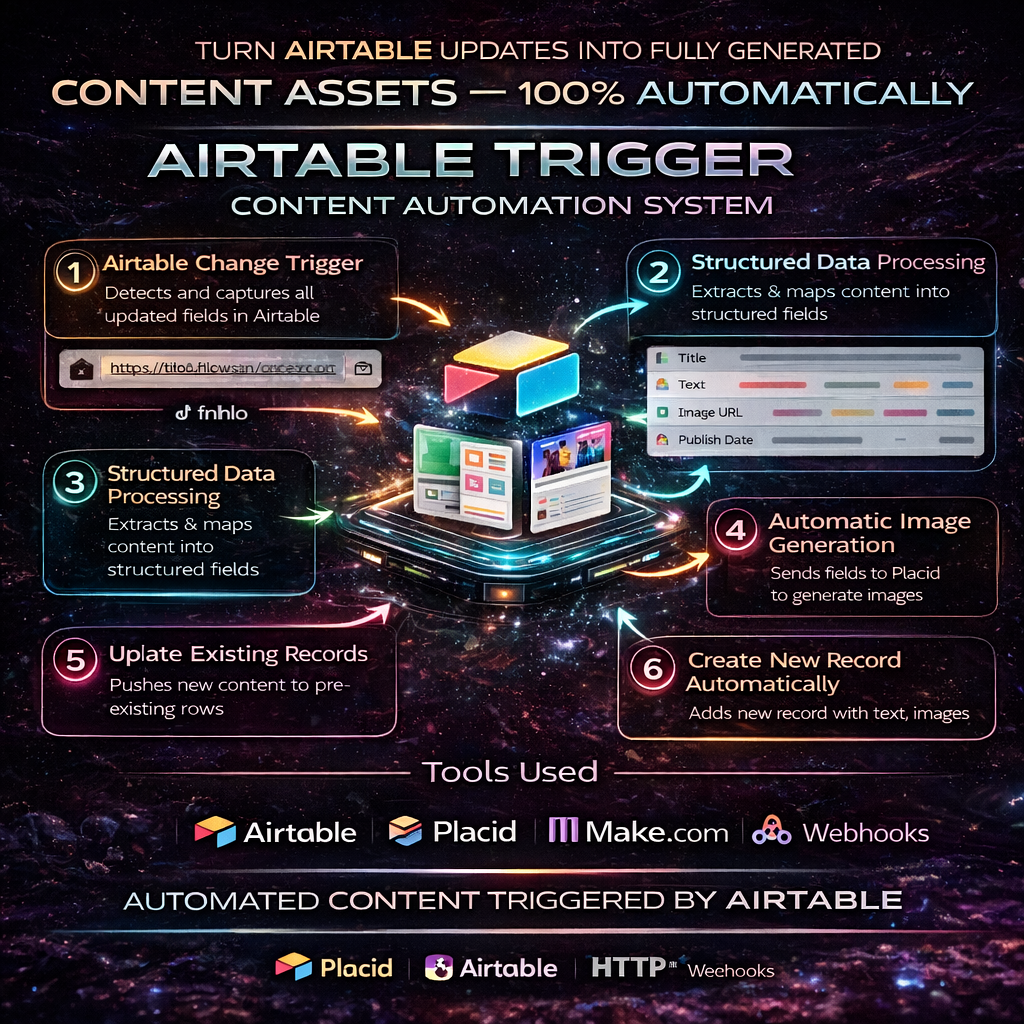
The Airtable Trigger Content Automation System is a complete automation workflow designed to turn your Airtable updates into fully generated content assets — including titles, descriptions, images, statuses, and organized records — without any manual effort.
This automation listens for changes in Airtable, processes your content, generates assets through third-party tools, and updates your base automatically. It’s perfect for creators, agencies, social media teams, and content systems that rely on structured workflows.
How the Automation Works
1. Airtable Change Trigger
The automation starts the moment a record is updated or added in Airtable.
It captures fields like Text, Description, Publish Date, Title, Status, and more.
2. Structured Data Processing
The JSON workflow extracts your content fields and prepares them for asset generation.
This includes:
• Text
• Title
• Image URL
• Publish Date
• Status fields
3. Automatic Image Generation via Placid
The system sends your Airtable text to Placid, which generates social media graphics, thumbnails, or branded templates automatically.
Text, colors, fonts, and templates are all configurable inside your Airtable fields.
4. Create New Airtable Records Automatically
After image generation, the automation creates a fresh Airtable record containing:
• Updated text
• Description
• Publish Date
• Text content
• Auto-generated images
• Default status (e.g., “Needs Review”)
5. Update Existing Records
If required, the automation updates your existing records’ fields — clearing content, setting new statuses, or inserting generated results.
6. API Integration for Advanced Tasks
The workflow also includes an outgoing HTTP module that can send your Airtable data to external APIs — such as a video generation API, social media API, or any custom end-point.
This enables complex content pipelines like automated video creation or posting workflows.
7. Final Processed Data Returned to Airtable
All created assets, updated statuses, generated graphics, and new records are saved back into your Airtable base, giving you a fully automated content pipeline.
Tools Used in This Automation
(This section is mandatory in all your product descriptions — included automatically.)
Based on the JSON file you uploaded:
- Airtable Trigger (Record Change Listener)
- Airtable – Create Record
- Airtable – Update Records
- Placid Image Generation (placid-app:createImage)
- HTTP Request Module (for sending data to external APIs, such as HeyGen)
- Make Routing + Logic Layers
- Text + Field Mapping Tools inside Make
This system combines all of these to create a fully automated content pipeline.
Perfect For
- Social media teams
- Content creators
- Automation agencies
- Newsletter writers
- Branding and creative teams
- Anyone who manages structured content in Airtable
This automation removes repetitive tasks and converts Airtable into a full content engine.
Share