virgin ai
Email Automator – AI-Powered Personalized Cold Email Outreach System (Make.com)
Email Automator – AI-Powered Personalized Cold Email Outreach System (Make.com)
Couldn't load pickup availability
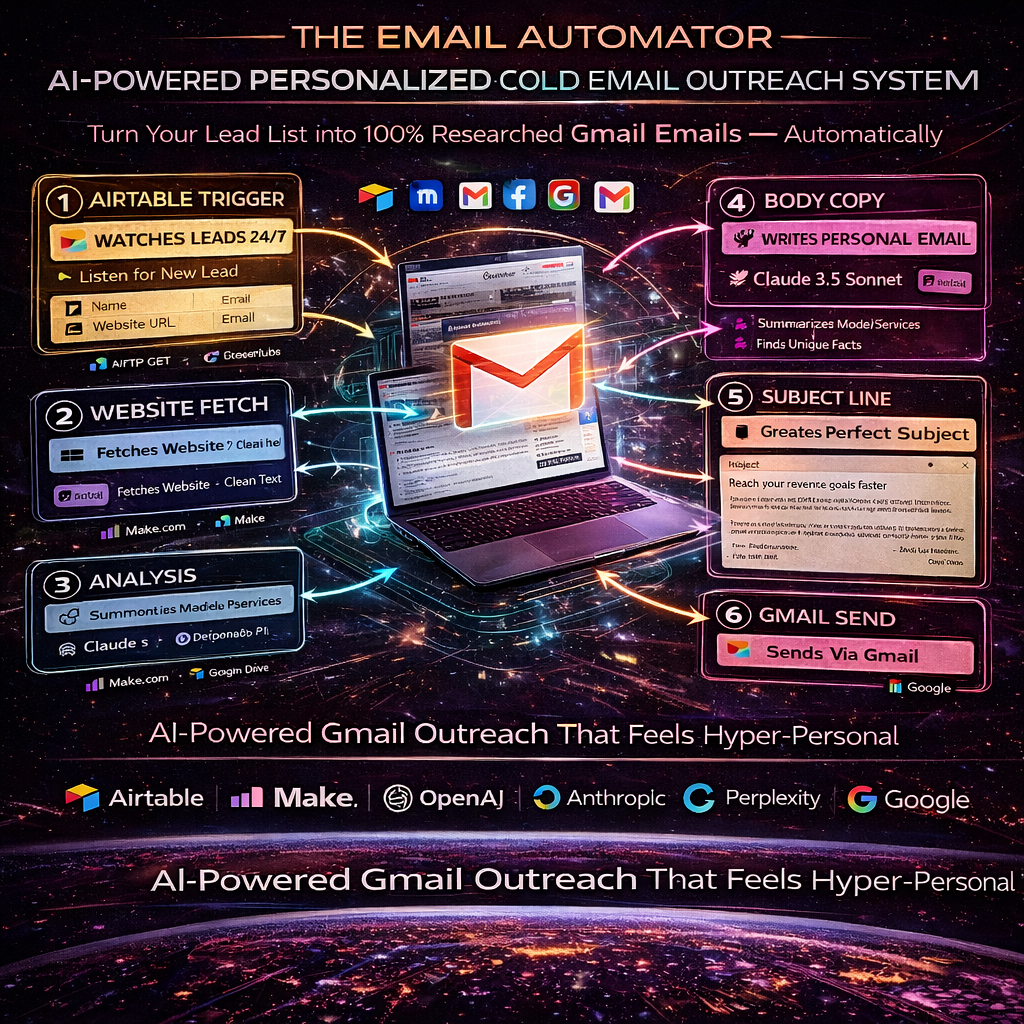
The Email Automator – AI-Powered Personalized Cold Email Outreach System is a complete Make.com workflow that turns a simple lead list into fully researched, customized HTML emails sent automatically from your Gmail.
Instead of writing generic templates and hoping something sticks, this automation:
- Watches your Airtable lead list
- Fetches each lead’s website
- Converts it into clean text
- Summarizes what the business does
- Runs external research to uncover unique facts
- Writes a fully formatted HTML email in your existing template
- Generates a strong, non-clickbait subject line
- Sends the email via Gmail
All of this happens without you touching a single draft.
What This Automation Does (Step-by-Step)
- Airtable Lead Trigger – “Watch Records”
- The scenario starts when new or updated records appear in your Airtable base.
- Fields used include: Company, Email, Website, Notes, Status, Created Time, Last Modified.
- The “Last Modified” field is used as the trigger field so only new or changed rows are processed.
- Fetch the Prospect’s Website (HTTP Get File)
- The workflow takes the “Website” field from Airtable and performs an HTTP GET to download the HTML content of the site.
- This gives the AI a live snapshot of what the business is currently showing on their homepage or main page.
- Convert HTML → Clean Text (HTML to Text)
- A “HTML to Text” module cleans the page by removing tags and formatting.
- The result is clean, readable text that describes the company, services, offers, and messaging.
- Website Summary + Feature Bullets with GPT-4o (OpenAI)
- OpenAI GPT-4o receives the cleaned website copy and:
- Generates a concise summary (maximum 35 words) capturing the core message of the business.
- Produces five bullet-point “fact” statements about the business.
- This gives a quick understanding of the brand and its value proposition for the email.
- Deep External Research Using Perplexity AI
- The workflow calls Perplexity AI (llama-3-70b-instruct) with instructions to:
- Search external sources (not just the website)
- Uncover 10 high-quality, recent, business-relevant facts
- Include URLs as citations
- Focus on awards, growth, market position, customer reviews, etc.
- These facts are used to prove the email is well-researched and specific to the prospect.
- Claude 3.5 Sonnet – Personalized HTML Email Writer
- An Anthropic Claude node takes:
- Website summary
- Perplexity research
- The raw website text
- It then fills a pre-defined HTML email template with:
- A personalized line about the company (max 20 words, highly specific)
- A clear value proposition: “We can help you increase sales by 70% with our AI conversion system”
- The output is full HTML, including a signature block, ready to be sent as a rich email.
- Claude 3.5 Sonnet – Subject Line Generator
- A second Claude node receives the email content and guidelines on how to write high-performing subject lines.
- It outputs a single optimized subject line:
- Short and clear
- No clickbait
- Designed to maximize opens
- The subject line is directly mapped into the Gmail module.
- Gmail Send – Automated Delivery
- Finally, the Google Email (Gmail) module sends the email to the prospect:
- “To” address is taken from the Airtable “Email” field (you will update the placeholder test email).
- Subject uses the output from the subject line bot.
- HTML body uses the personalized email generated by Claude.
- You can set the “From” and CC/BCC as needed inside the module.
Tools, APIs & Accounts Required
To use this automation, you will need:
- Make.com Account
- This scenario is built as a Make.com workflow (zone: eu2.make.com).
- Airtable
- Base with a lead table that includes: Company, Email, Website, Status, Notes, and Last Modified.
- Airtable OAuth connection configured in Make.
- OpenAI API
- Model used: gpt-4o.
- Purpose: Summarize website and generate bullet facts.
- You must add your own OpenAI API key via the OpenAI connection in Make.
- Perplexity AI API
- Model used: llama-3-70b-instruct.
- Purpose: External research, 10 high-quality facts with source URLs.
- You must configure your Perplexity connection and API key.
- Anthropic Claude API
- Model used: claude-3-5-sonnet-20240620.
- Purpose:
- Generate fully formatted HTML outreach emails.
- Generate optimized subject lines.
- You must connect Anthropic using your own API key.
- Gmail / Google Workspace Account
- Uses the “Google Restricted” email send module in Make.
- Purpose: Send the final email directly to your prospect.
- Requires a Google account connection with email send permissions.
- HTTP and Utility Modules
- HTTP Get: To fetch website HTML.
- HTML-to-Text: To clean the content for AI analysis.
No API keys are included in the download. You plug in your own keys inside Make’s connections for OpenAI, Perplexity, Anthropic, Airtable, and Google.
What You Get When You Buy
- Ready-to-import Make.com scenario JSON for the Email Automator
- Pre-built prompts for:
- Website summarization (OpenAI)
- External research (Perplexity)
- Email generation (Claude)
- Subject line creation (Claude)
- Airtable field mapping and structure reference
- Gmail send configuration structure
- Clear workflow structure from trigger to send
Who This Is For
- Cold outreach agencies
- B2B lead generation teams
- Freelancers doing outbound sales
- SaaS founders and growth marketers
- Anyone sending a lot of cold emails and wants them to actually feel personal
Instead of blasting the same template to everyone, this automation builds each email from the prospect’s own website and fresh research, so your outreach finally sounds like you did your homework—without you lifting a finger.
Share